Three tools, one clinical platform
Automation for the routine work, and support where your expertise matters: expert answers, operative notes in your own style, and accurate coding.
- AI AnesthesiologistExpert answers before, during and after surgery
- Op Note WriterFull notes from a short dictation, in your style
- Revenue OptimizerCPT codes, wRVUs and claim tracking
AI Anesthesiologist
An expert for the whole perioperative course
Ask anything about preoperative planning, intraoperative management or postoperative care. Answers are clear, specific and grounded in clinical references, so you can check the reasoning and move on.
Patient on weekly semaglutide for a lumbar fusion tomorrow. How should I plan the airway?
AI Anesthesiologist
- Hold the GLP-1 agonist per your institution’s current guidance, and treat the patient as a possible full stomach if it was continued.
- Consider gastric ultrasound before induction. If residual contents are seen, plan a rapid sequence induction.
- Document the last dose and any GI symptoms in the preoperative note.
Example answer, for illustration. Always follow your institution's protocols.
- Before the case
- Medications, comorbidities, airway and fasting questions.
- In the room
- Dosing, hemodynamics and complications, answered quickly.
- After the case
- Postoperative pain, nausea and disposition.
- Decision support
- It informs your judgment and never replaces it.
Op Note Writer
Operative notes that sound like you wrote them
Dictate three or four sentences about the case and get a complete operative note. It learns from your past notes and from every edit you make, so the format, wording and habits match yours. It fills in the routine and billing-required details, flags what it assumed, and shows which codes the note supports. Finished notes go to billing in one click.
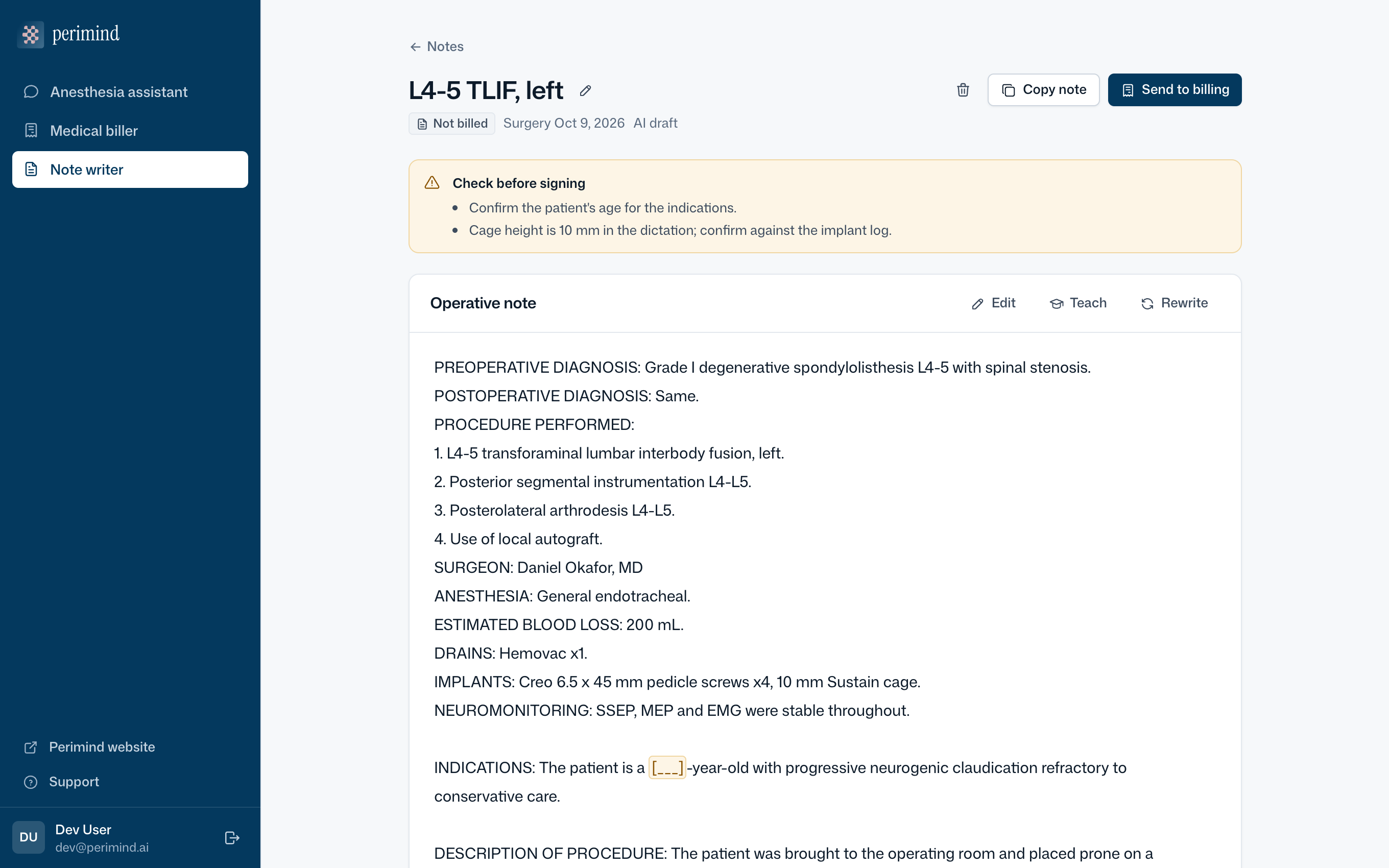
- Learns from your notes
- Upload a few past notes and it follows your structure and phrasing.
- Learns from your edits
- Corrections become preferences for every future note.
- Teach it directly
- Tell it a rule once, such as how to list neuromonitoring.
- Close to finished
- Routine and billing-required content is written in; every assumption is flagged before signing.
- Coding as you write
- Suggested codes, the most a procedure can support, and what to add so it codes cleanly.
Revenue Optimizer
Coding and claim tracking
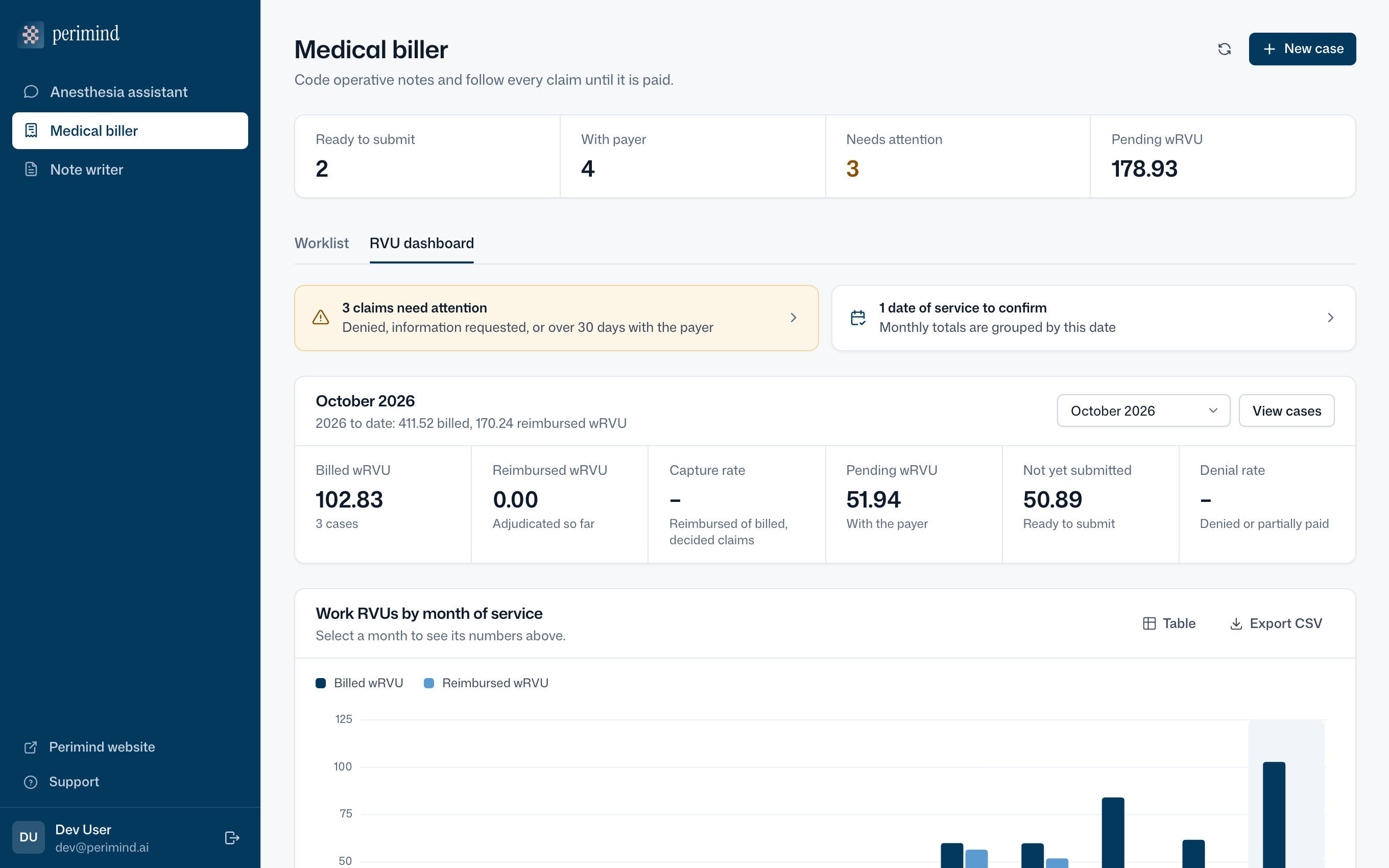
Turns operative notes into CPT and ICD-10 codes with work RVUs and the note text behind each one. It flags documentation gaps and likely undercoding before you submit, then tracks every claim until it is paid.
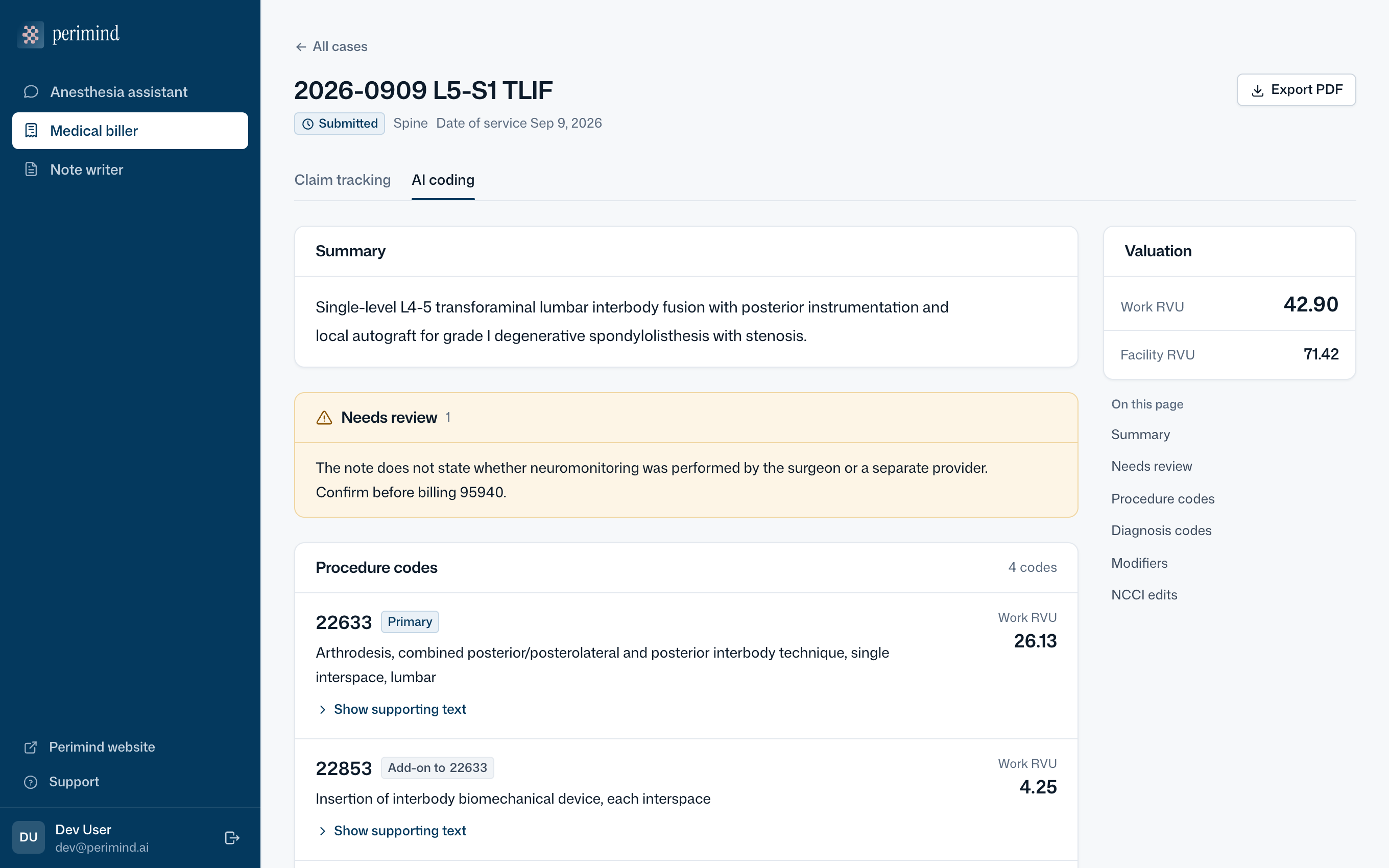
- Codes with reasons
- Every code links to the operative note text that supports it.
- Fewer coding errors
- NCCI edits, modifiers and documentation gaps are checked for you.
- Claims you can follow
- EOBs and denial letters are read by AI and suggested as updates you approve.
- Monthly wRVUs
- Billed against reimbursed work RVUs, by month of service.
PHI-safe by design
All three tools remove patient identifiers before any text reaches the AI.
Talk to us about a pilot
Perimind is available to hospital systems, surgical and anesthesia practices and perioperative teams through per-client licensing. Email us about pricing, enterprise applications or a pilot.
Email sales@perimind.ai